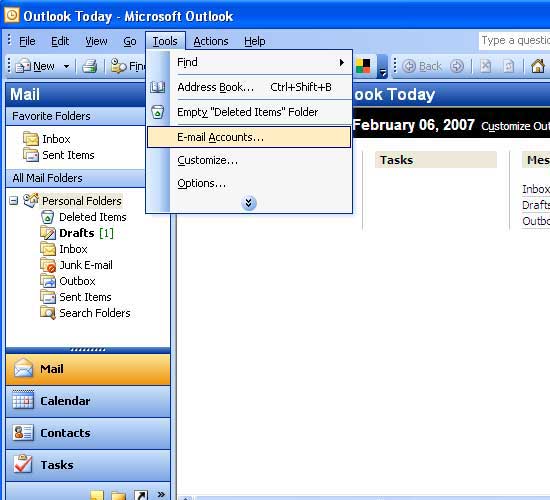
Choose Microsoft
Outlook from Your Computer and click on Tools and then click on
E-mail Accounts..
NOTE: * Kindly change your POP3 SMTP
Server to mail.penangfon.com for those who subscribe the service in
Penang
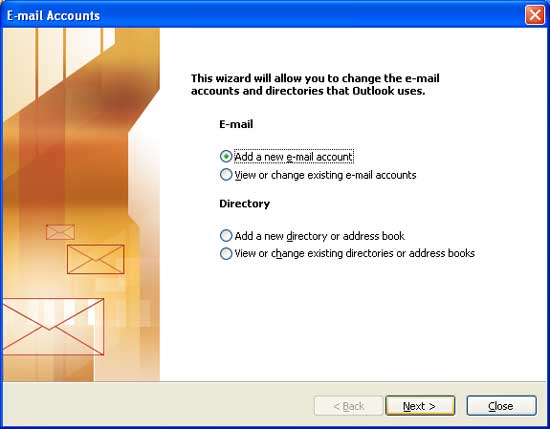
Then click on
add e-mail account
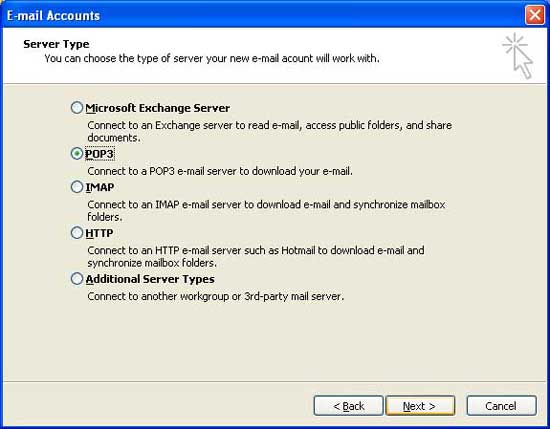
Then select POP
3
Then fill in the
POP3 settings..
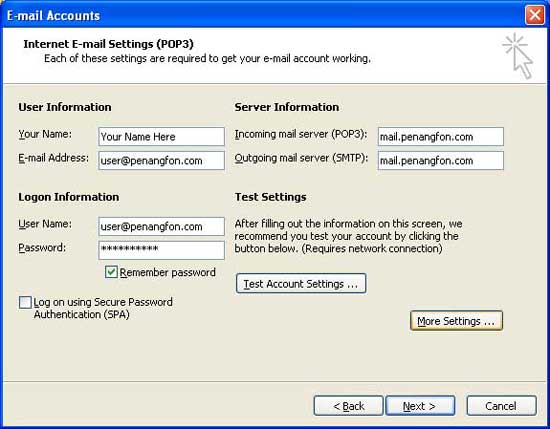
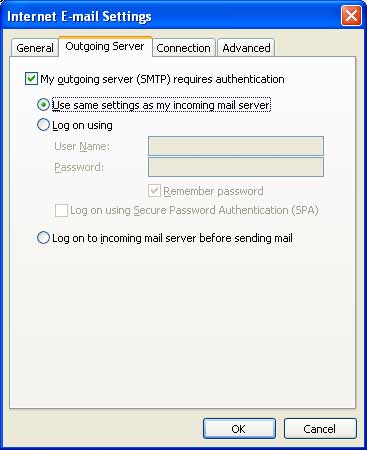
Then click on
Outgoing Server and fill as follows
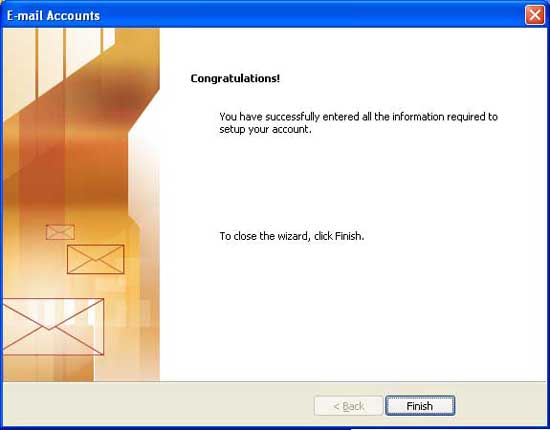
Wow you are done
with the configuration of the E-mail account Congratulations .
So you can send or
receive the E-Mails from PenangFon web mail with Microsoft outlook
And Hope You can
configure your web mail as well as enjoy the service of web mail
If you Have any inquiries, please do not hesitate to contact our Customer Support Center at
04-227 4521 or Customer Care Suppor
|